

Drupal Experience Builder: A Guide to Building Enterprise Web Pages Without Code
In corporate websites, it is essential that page creation and content editing processes are fast, flexible, and sustainable. Drupal Experience Builder makes collaboration between developers and content teams easier and offers more flexible page building.

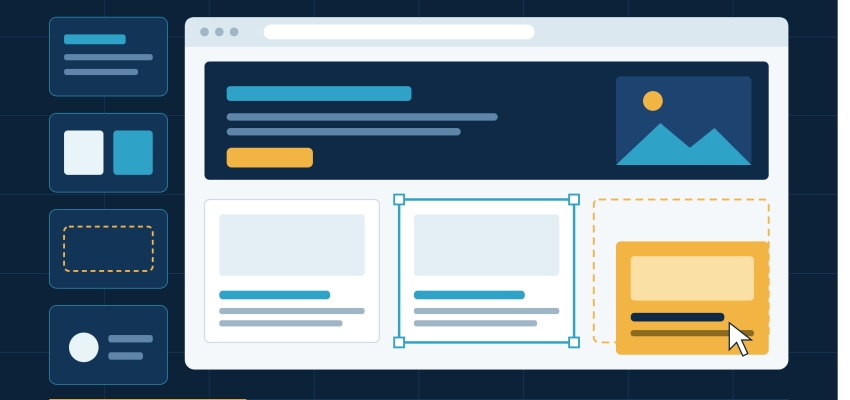
In corporate websites, it is essential that page creation and content editing processes are fast, flexible, and sustainable. Drupal Experience Builder makes collaboration between developers and content teams easier and offers more flexible page building. So what is Drupal Experience Builder, how does it work, and what advantages does it offer corporate websites? In this guide, we cover Experience Builder's core features, use cases, and the points to keep in mind.
What Is Drupal Experience Builder and How Does It Work?
Drupal Experience Builder is a modern page-building approach that makes it easier to visually create and edit web pages on Drupal. Content teams can manage page components more flexibly, without needing developers to step in for every change.
The Experience Builder approach combines Drupal's powerful content modeling foundation with a visual page-building experience. This allows for more controlled work on the structure and presentation of a page, rather than simply adding content.
What Is Drupal Experience Builder Used For?
The main purpose of Experience Builder is to make page creation and editing processes on Drupal sites more practical. In enterprise projects with many content managers in particular, it can help reduce teams' dependence on development processes.
Its main use cases include:
- Creating page and content layouts
- Using reusable components
- Enabling content teams to work more independently
- Maintaining consistent design across different pages
- Streamlining the workflow between development and content teams
How to Create a Page with Drupal Experience Builder
The page creation process with Experience Builder begins by determining the content and components to be used. Components that fit the page structure are selected, content areas are placed, and the necessary adjustments are made.
In general, the process works as follows:
- The page or content type is determined.
- The components to be used are selected.
- The layout of the components on the page is built.
- Content and visual adjustments are made, and the page is prepared for publishing.
This structure can help content teams move faster, especially on corporate pages that are updated frequently.
Benefits of Drupal Experience Builder for Corporate Websites
| Feature | Contribution to the Corporate Website |
|---|---|
| Visual page building | Makes page editing easier |
| Component usage | Supports consistent design |
| Flexible layout | Can be adapted to different page needs |
| Editor-focused structure | Helps content teams work more independently |
| Drupal foundation | Can work together with the existing Drupal content structure |
These advantages become especially important in large-scale projects where different teams produce content on the same website.
Drupal Experience Builder and Content Management for Site Editors
Experience Builder matters not only for developers but also for editors who manage content day to day. When editors don't constantly need the technical team for simple page changes, content operations can move faster.
However, a balance must be struck between editorial freedom and corporate standards. Properly defining the components that can be used, the design rules, and the content structures helps preserve the integrity of the website.
Design and Content Flexibility with Drupal Experience Builder
On modern corporate websites, the same content may need to be presented within different page structures. Experience Builder offers a component-based and more flexible page-building approach to address this.
For example, an organization may use different content layouts on news, event, service, or campaign pages. Thanks to predefined components, it may be possible to create these variations while preserving the brand's overall design language. This structure contributes to a more controlled progression of both the user experience and content production processes.
Things to Consider When Using Drupal Experience Builder
When using Experience Builder, it is important to balance flexibility with corporate standards. In large projects especially, the following points should be taken into account:
- Performance: Unnecessary components and overly complex page structures should be avoided.
- Accessibility: The pages you create should be checked for WCAG compliance.
- Responsive Design: Make sure pages display correctly on different screen sizes.
- Content Management: The components and content rules that editors will use should be defined in advance.