

Drupal Security: A Security Guide and Best Practices for Enterprise Websites
Security on enterprise websites is not limited to preventing attacks. Protecting user data, maintaining content integrity, ensuring uninterrupted system operation, and protecting an organization's digital reputation are also important parts of security.

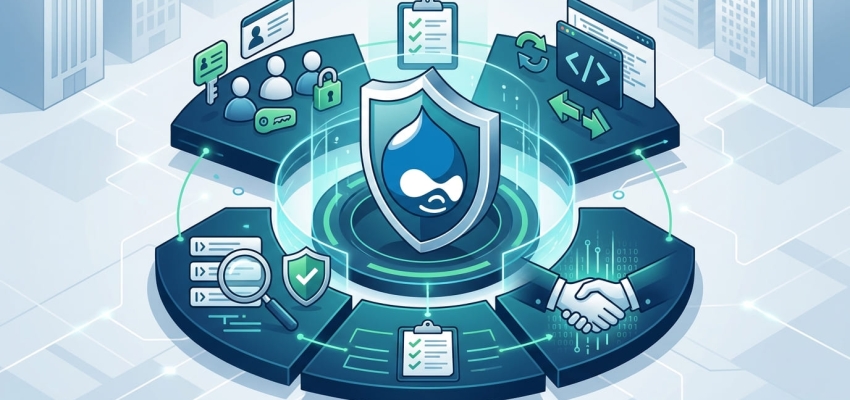
Security on enterprise websites is not limited to preventing attacks. Protecting user data, maintaining content integrity, ensuring uninterrupted system operation, and protecting an organization's digital reputation are also important parts of security. Drupal provides a secure infrastructure for enterprise projects thanks to its strong security architecture and regular security updates. However, relying solely on the features provided by the platform is not enough to create a secure Drupal website. Multiple layers, from updates and user permissions to API security, backup, and monitoring, need to be managed together.
Why Is Drupal Security Important?
Enterprise Drupal websites may contain different types of information, including employee, customer, visitor, and content data. Therefore, a security vulnerability is not merely a technical problem; it can also result in data loss, service interruptions, and reputational damage.
The main factors that make Drupal security important include:
- Preventing unauthorized access
- Protecting user and organizational data
- Ensuring uninterrupted website operation
- Preventing malicious code and attack attempts
- Keeping content and the administration area secure
- Meeting enterprise security requirements
For this reason, security should not be treated as a one-time task performed after a Drupal project goes live. It should be managed as an ongoing process.
What Are the Most Common Security Risks in Drupal Websites?
Security risks in Drupal websites are often not caused solely by the software itself. Outdated modules, incorrectly configured user permissions, or an inadequately protected server environment can also create significant risks.
| Security Risk | Potential Impact | Recommended Measure |
|---|---|---|
| Outdated Drupal Core | Exploitation of security vulnerabilities | Regular security updates |
| Outdated modules | Unauthorized access or data security issues | Monitoring module versions |
| Incorrect user permissions | Unauthorized content or administrative access | Principle of least privilege |
| Weak authentication | Risk of account compromise | Strong passwords and MFA |
| Insecure API configuration | Unauthorized access to data | Restricting API access |
| Insufficient backups | Data loss and prolonged downtime | Regular, tested backups |
When conducting a security assessment, it is important to examine these risks individually while also considering how they are interconnected.
How Can Drupal Core, Module, and Theme Security Be Ensured?
To keep Drupal secure, all components in use must be kept up to date. Security advisories released for Drupal Core and contributed modules should be monitored regularly.
When performing updates, simply installing the latest version is not enough. The system should first be tested in a staging environment, and the website's core functions should be verified after the update.
A secure update process should include:
- Backing up the existing system and data.
- Checking Drupal Core, modules, and themes.
- Applying updates in a test environment whenever possible.
- Testing critical functions and integrations.
- Deploying changes to the production environment in a controlled manner.
In addition, removing unused modules and themes from the system can help reduce the attack surface.
User Roles, Permissions, and Secure Authentication
Enterprise Drupal projects require different users to have different levels of access. Giving a content editor, publishing manager, developer, and site administrator the same access level is not a secure approach.
The principle of least privilege should be applied in this context. Users should only be granted the permissions they need to perform their responsibilities.
Strong passwords, multi-factor authentication where possible, and regular account reviews can also be used for administrator accounts. Access for employees who leave the organization or users who no longer need access should be removed promptly.
Best Practices for Drupal API, Form, and Data Security
In modern Drupal projects, APIs play an important role in exchanging data with mobile applications, headless frontends, and third-party services. However, every service exposed externally can create a new security risk if it is not configured correctly.
The following points should be considered when securing APIs and forms:
- Unnecessary API endpoints should not be left publicly accessible.
- Access to sensitive data should be restricted through authorization.
- Appropriate validation and security controls should be applied to forms.
- User input should be processed securely.
- API access and critical operations should be traceable.
- Sensitive information should not be stored in source code or publicly accessible areas.
Especially in headless Drupal architectures, separating the frontend and backend does not eliminate security responsibilities. API access, authentication, and data transfer must be managed carefully.
How Should Security Monitoring, Log Management, and Backup Processes Be Managed?
A Drupal website being secure does not mean that attack attempts will never occur. What matters is detecting suspicious activity as early as possible and being able to restore the system quickly when necessary.
Log records are an important resource for investigating failed login attempts, permission changes, system errors, and suspicious activities. Regular monitoring can help identify unusual behavior at an earlier stage.
On the backup side, simply creating backups is not enough. Backups should be stored in a secure environment, and restoration tests should be performed at regular intervals. This helps ensure that the recovery process will actually work in the event of data loss or a system issue.
Security Checklist for Enterprise Drupal Websites
Drupal security requires different technical layers to be evaluated together. The following basic controls can be reviewed regularly in an enterprise project:
- Is Drupal Core up to date?
- Are the security statuses of the modules and themes in use being monitored?
- Have unused modules been removed?
- Are user roles and permissions reviewed regularly?
- Are administrator accounts adequately protected?
- Are API and external service access properly restricted?
- Are security logs monitored regularly?
- Are backups up to date and recoverable?
- Are updates tested in a staging environment first?
- Is an incident response and recovery process defined for critical security events?
Drupal security is not something that can be completed simply by installing a security module or performing a one-time update. A secure enterprise Drupal project is built through the combined management of up-to-date software, proper authorization, secure integrations, regular monitoring, and reliable backup processes. This approach helps reduce existing security risks while enabling the website to be managed in a more controlled and sustainable way over the long term.