

How to Build a Multilingual Drupal Website? A Multilingual Architecture Guide for Enterprise Sites
For companies operating in multiple markets, a multilingual website is no longer a choice but a necessity. Because Drupal offers multilingual capabilities in its core, it meets this need without burying you under a pile of add-ons

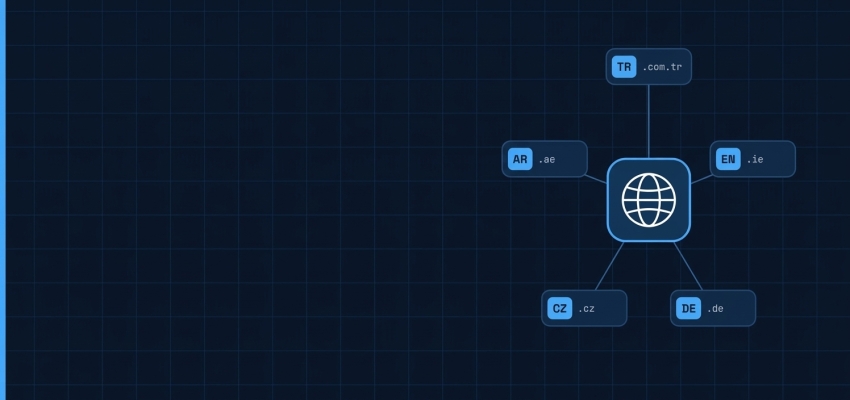
For companies operating in multiple markets, a multilingual website is no longer a choice but a necessity. Because Drupal offers multilingual capabilities in its core, it meets this need without burying you under a pile of add-ons. In this guide, we walk through how to build a multilingual architecture for an enterprise site, which decisions affect SEO, and how to speed up translation workflows. Our goal is to give you a clear roadmap so you can make the right decisions before the project starts.
Why Do Enterprises Choose Drupal for Multilingual Websites?
In Drupal, multilingual support is not a feature added later; it is part of the core. This allows content, menus, views, and configuration settings to be managed on a per-language basis. Because there is less dependence on third-party add-ons, update and security processes also become more predictable.
The role and permission system can also work per language. For example, German content can be edited only by the team in Germany, while publishing approval is given centrally. This flexibility is a major advantage in multi-country enterprise structures. Adding a new language also does not require rebuilding the existing structure. You can expand into new markets in a controlled way on the same infrastructure.
Core Modules Required for a Multilingual Structure in Drupal
To build a multilingual Drupal site, you need to enable four core modules:
- Language: Adds new languages to your site and manages language detection settings. This is where you set whether a visitor’s language is determined by the URL, the browser, or the session.
- Interface Translation: Translates the text in the admin panel and the site interface. Buttons, form messages, and system notifications are translated through this module.
- Content Translation: Enables translation of content types, such as pages, news, and blog posts. The language versions of each piece of content are kept under a single record.
- Configuration Translation: Translates configuration items such as menus, form labels, and view titles. The “invisible” texts of a site are mostly caught here.
In addition, don’t forget to place the language switcher block on the page so visitors can switch between languages. Although it may seem small in terms of user experience, this block is one of the most used elements of a multilingual site.
URL Structure for Multilingual Websites: Subdirectory, Subdomain, or Separate Domain?
The URL structure is one of the decisions that must be made earliest in a project and is the most troublesome to change later. Since both SEO and ease of management depend on this choice, the decision should be made together with the technical and marketing teams. Here is a comparison of the three approaches:
| Structure | Example | Advantage | Point to Consider |
|---|---|---|---|
| Subdirectory | site.com/en/ | Authority accumulates on a single domain, and it is easy to manage | Separate server locations per language are not possible |
| Subdomain | en.site.com | A separate infrastructure can be set up per language | Search engines may treat them as separate sites, which splits authority |
| Separate domain | site.de | Strong local trust and country targeting | Each domain requires separate SEO work and cost |
For most enterprise projects, the subdirectory structure is the most practical option in terms of balancing management and SEO. If you are aiming for a strong local identity in a specific country, a separate domain can be considered. Whichever you choose, settling the structure before launch prevents redirect and migration work later on.
How to Manage Content, Menu, and Taxonomy Translation in Drupal
To run the translation process in an orderly way, you can follow this sequence:
- Select the content types to be translated in the Content Translation settings.
- Decide which fields will be translated for each content type. While titles and body text are translated, images are usually shared, but their alt texts should be translated.
- Enable translation for menus and taxonomy terms. If categories and tags are not translated, filtering and listing pages will appear in mixed languages.
- Define a workflow that includes draft, translation, approval, and publishing stages. This way, half-finished translations are not published by accident.
- Decide what happens to content without a translation: will it be shown in the default language, or will the page not be visible at all?
- Before going live, test the pages, menus, and forms in each language separately.
This sequence greatly reduces confusion, especially in projects with multiple editors.
Multilingual SEO: Hreflang, Canonical, and Language-Based Sitemap Settings
You tell search engines which page is prepared for which language and region using hreflang tags. Drupal core adds these tags automatically for translated content to a large extent, but it is worth verifying them in the page source before launch. Incorrect or missing hreflang can cause users to be directed to the page in the wrong language.
Each language version must have a canonical tag pointing to itself. Otherwise, search engines may interpret the translations as duplicate content. Meta titles and descriptions must also be translated. In many projects, the content is translated but the meta fields are forgotten, and the mixing of different languages in search results becomes unavoidable.
Creating a language-based XML sitemap and checking Search Console separately for each language helps you catch indexing issues early.
How Can Drupal AI Translation Speed Up Translation Workflows?
The translation features in the Drupal AI ecosystem allow content editors to generate draft translations without leaving the admin panel. They save significant time, especially for high-volume content such as blog posts, news, and product descriptions. Instead of moving the translation to a separate tool, the editor can review and edit it on the same screen.
Still, AI output should be treated as a draft. For brand voice, industry terminology, and legal texts, approval from a local editor must always be part of the process. When set up correctly, AI translation does not replace the human editor. It allows them to review more content in less time.
Common Mistakes in Multilingual Drupal Projects and Recommendations for Enterprise Projects
Most problems in multilingual projects are not technical but stem from planning. Not settling the URL structure from the start, not defining the translation workflow, and leaving SEO settings until after launch are the most common mistakes. Untranslated menu and form texts and missing meta fields can be added to this list. When building a multilingual Drupal site, first define the architecture and processes, then move on to content production. A well-planned structure makes adding new languages easier and lowers maintenance costs in the long run. If you would like support with multilingual architecture for your enterprise project, you can get in touch with the Drupart team.